Printable Ruler PDF — Inches and cm
Download a free printable ruler in inches and cm, or a protractor. Every ruler prints true to scale at actual size — choose A4 or Letter to match your paper, then follow the print instructions below.
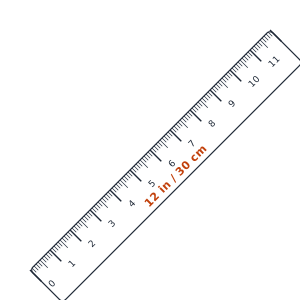
12 inch / 30 cm ruler
Full-length ruler with centimeter and 1/16-inch markings. Laid out diagonally so the whole length prints at true size on one page.
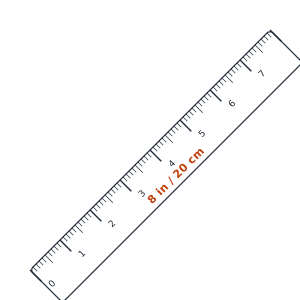
8 inch / 20 cm ruler
Compact horizontal ruler with centimeter and 1/16-inch markings — fits across the page.
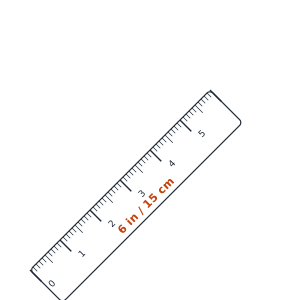
6 inch / 15 cm ruler
Pocket-size ruler with centimeter and 1/16-inch markings — handy for quick, short measurements.
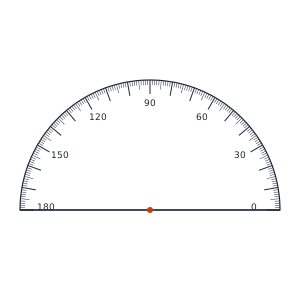
Protractor
180° protractor with inner and outer degree scales and a center mark for measuring and drawing angles.
Print instructions
For accurate printing:
- Set page scaling to None / Actual Size (100%).
- Use the correct paper size (A4 or Letter) for the PDF you downloaded.
- Do notuse “Fit to Page” or “Shrink oversized pages”.
- Verify with a real ruler after printing, and reprint if the scale is off.
Free printable ruler in inches and cm
Download a free printable ruler as a PDF and print it at actual size on standard paper. Each printable ruler shows both scales — a centimeter / millimeter edge and an inch edge with 1/16 subdivisions — so a single sheet works as an inches and cm ruler. Choose the 12 inch / 30 cm ruler for full-length measuring, the 8 inch / 20 cm ruler for everyday tasks, or the pocket-size 6 inch / 15 cm ruler when you only need a short scale. No app, login, or sign-up is required.
How to print a ruler to scale
The most common reason a printed ruler measures wrong is page scaling. To print a ruler to scale at true actual size, open the PDF and set scaling to None or Actual Size (100%), and turn off “Fit to Page” or “Shrink oversized pages.” Pick the PDF that matches your paper — A4 (210 × 297 mm) in most countries, or Letter (8.5 × 11 in) in the US and Canada — then verify the printout against a known object before relying on it.
Printable protractor for angles
The printable protractor PDF is a 180° protractor with inner and outer degree scales and a center mark, so you can measure and draw angles on paper. Like the rulers, print it at 100% actual size on A4 or Letter so the degree markings stay accurate.
No printer? Measure on screen instead
If you can't print right now, the online ruler in actual size lets you measure directly on your screen in cm, mm, and inches once calibrated. To calibrate it precisely, use the PPI calculator to find your display's pixel density.
Frequently asked questions
How do I print a ruler to scale (actual size)?+
Download the PDF, then in your print dialog set scaling to None / Actual Size (100%) and turn off 'Fit to Page'. Choose the matching paper size (A4 or Letter). After printing, check it against a known object so it's true to scale.
Which printable ruler should I choose, A4 or Letter?+
Pick the PDF that matches your printer's paper. Use A4 (210 × 297 mm) outside North America and Letter (8.5 × 11 in) in the US and Canada. The ruler prints at the same true size either way.
Are the printable rulers in both inches and cm?+
Yes. Every printable ruler has a centimeter/millimeter scale on one edge and an inch scale (with 1/16 subdivisions) on the other, so you get inches and cm on a single ruler.
Why does my printed ruler measure slightly wrong?+
Almost always because the printer scaled the page. Reprint with scaling set to 100% / Actual Size and 'Fit to Page' disabled. A diagonal layout is used for the 12 inch / 30 cm ruler so the full length fits on one page at true size.